HomeLab-Portfolio
Homelab Project Walkthrough
This walkthrough highlights the architecture, operating model, and governance simulation behind the private AI homelab.
Overview
I built a private production-style homelab on an Apple Silicon Mac Mini using Docker Desktop, Tailscale, Traefik, Authentik, AdGuard DNS, Wiki.js, Open WebUI, n8n, monitoring, media services, and an on-demand IGA lab.
The stack has no public ingress. Access flows through Tailscale, private DNS, Traefik, Authentik, and app-native OIDC where appropriate. I also built a local AI operations assistant in Open WebUI that uses runbook RAG and custom read-only OpenAPI tools to answer live infrastructure questions.
The newest part is an IGA simulation: midPoint models users, roles, joiner/mover/leaver states, access review evidence, and a guarded connector provisions dummy lab users/groups into Authentik.
Walkthrough
1. Private Entry Point
Private route:
https://homepage.home.arpa:8443
Notes:
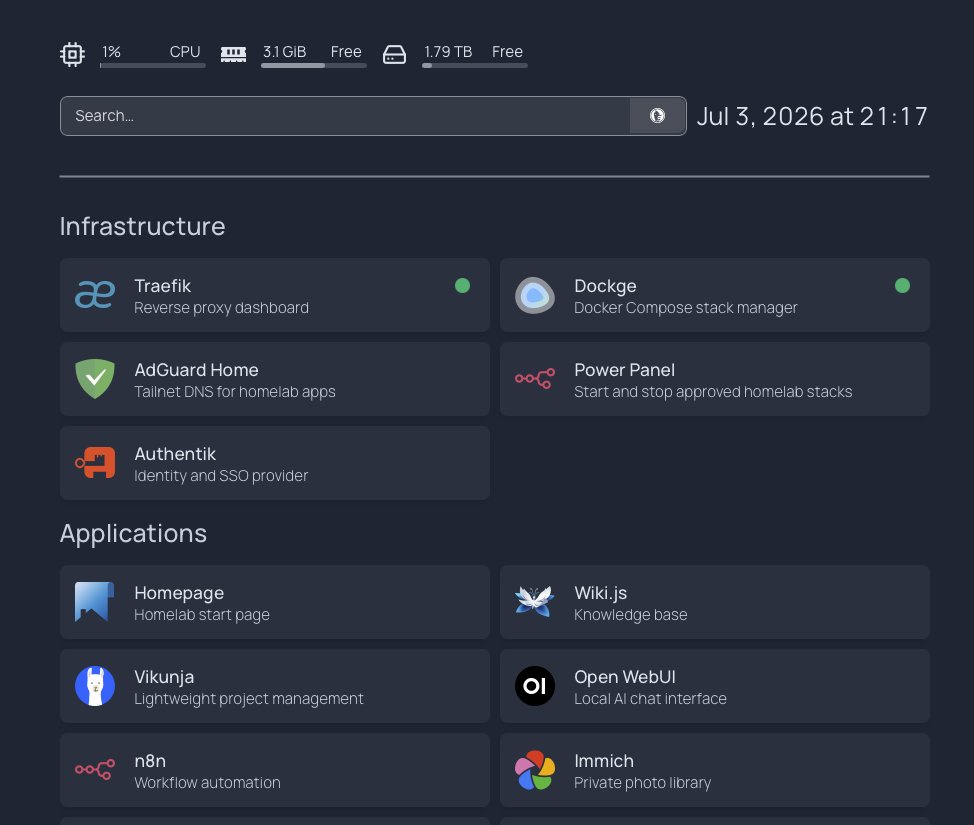
This is the private launchpad. It is reachable only from my tailnet through
home.arpa DNS. The page organizes infrastructure, applications, monitoring,
lab services, and on-demand power controls.
Screenshot:
Proves:
- private service organization
- tailnet-only app access
- clean operational dashboard
2. Identity And SSO
Private route:
https://auth.home.arpa:8443
Notes:
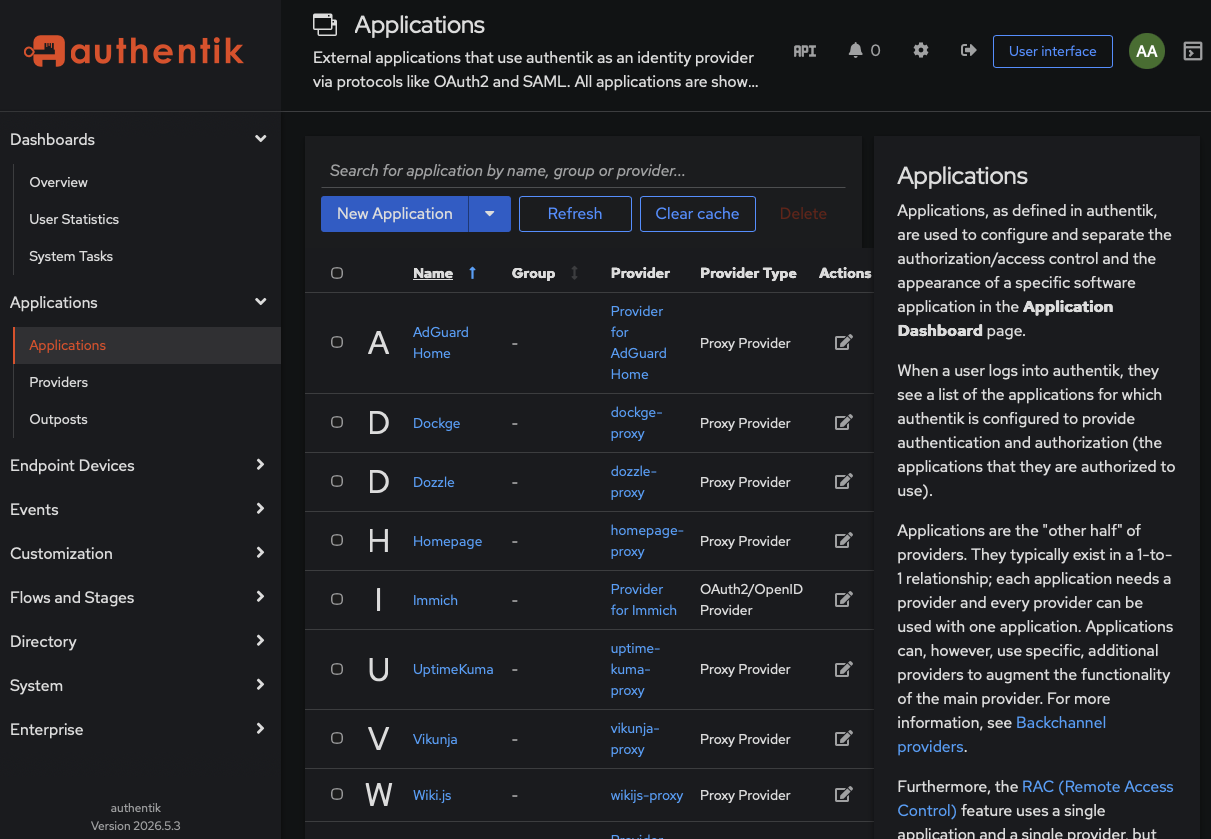
Authentik is the central identity layer. Browser/admin apps use forward-auth,
while API-heavy or mobile-heavy apps use app-native OIDC to avoid breaking
clients and webhooks.
Screenshot:
Proves:
- centralized identity
- application-level access policy
- SSO architecture
3. AI Operations Assistant
Private route:
https://openwebui.home.arpa:8443
Representative operator prompt:
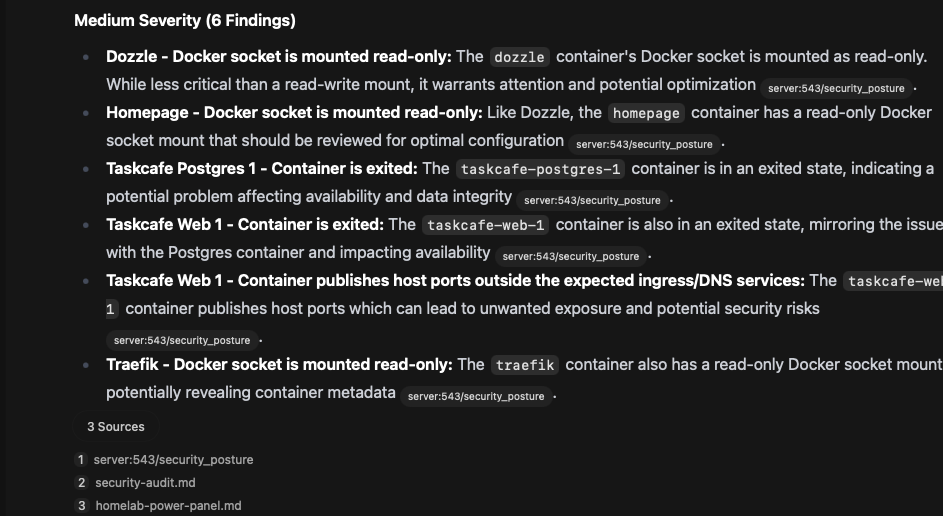
docker_summary: Which containers need attention?
Notes:
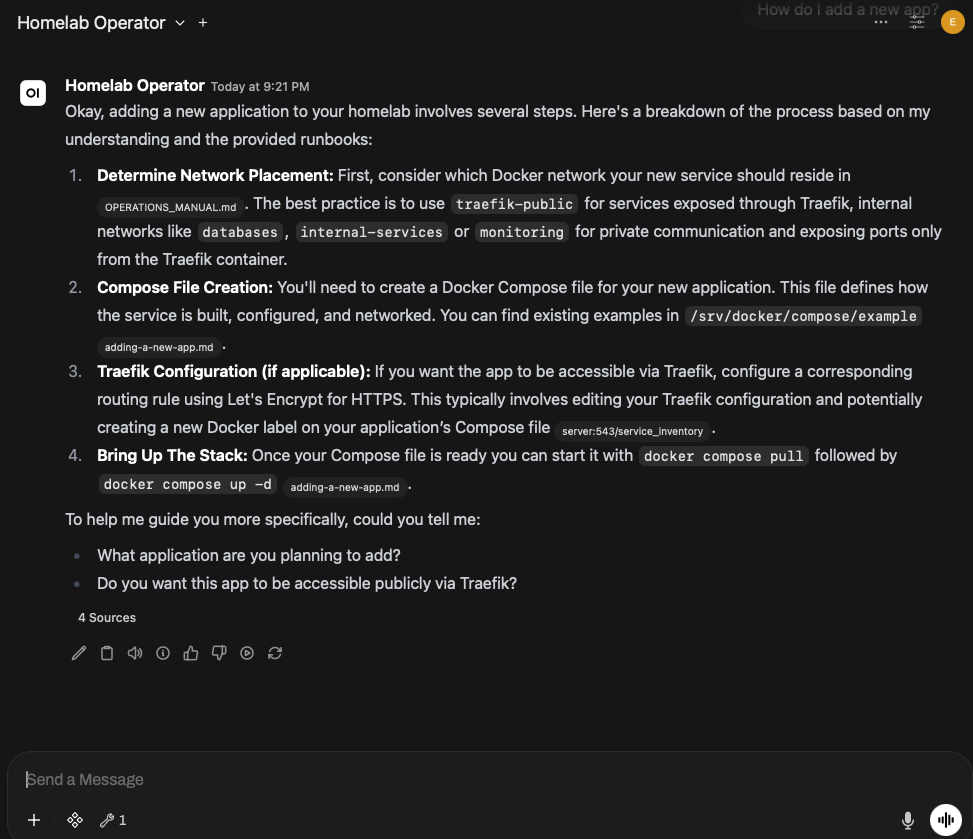
Open WebUI is not just chat. It has runbook knowledge and an internal OpenAPI
tool server. The assistant can answer operational questions from live read-only
system state.
Screenshot:
Proves:
- local AI/RAG integration
- custom internal tools
- read-only operations automation
4. Monitoring And Logs
Private route:
https://uptime.home.arpa:8443
https://dozzle.home.arpa:8443
Notes:
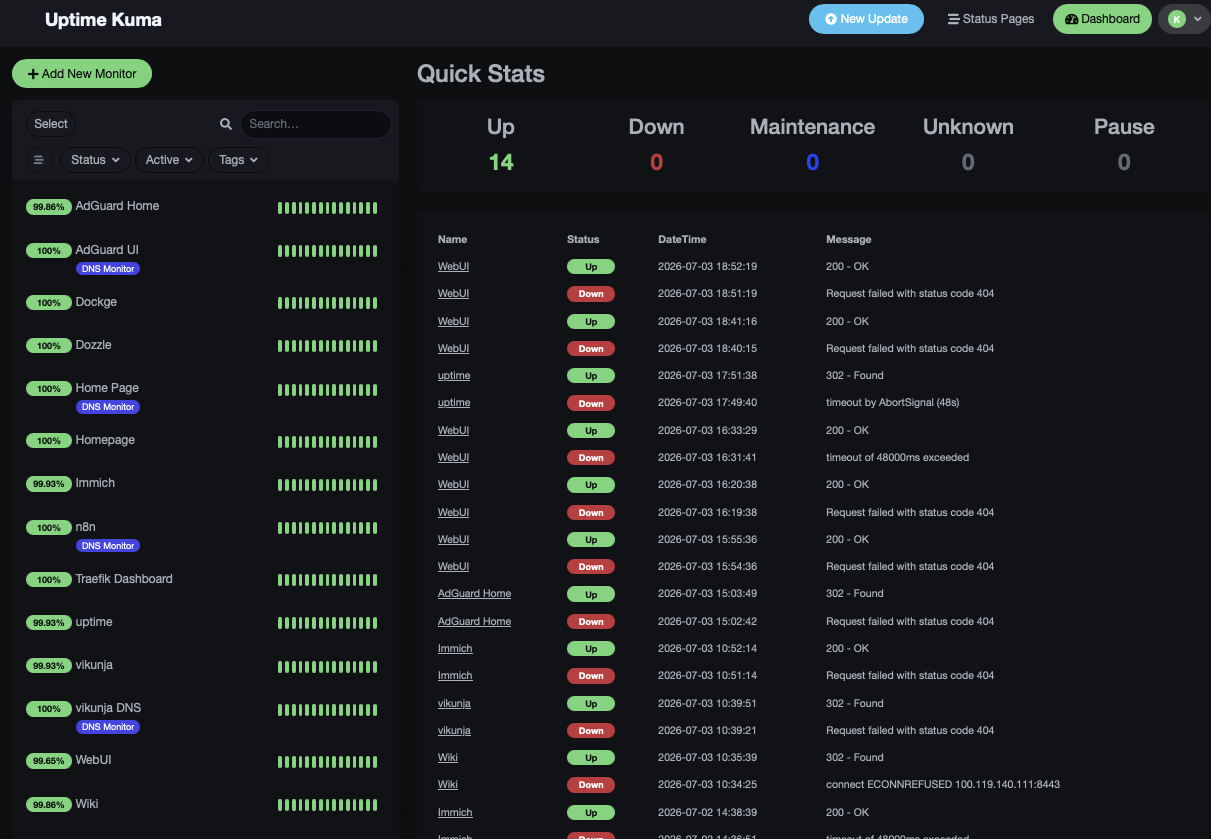
Uptime Kuma tracks service availability and expected Authentik redirect
behavior. Dozzle gives log visibility without exposing public ports.
Screenshot:
Proves:
- service monitoring
- operational visibility
- private observability stack
5. Documentation Layer
Private route:
https://wiki.home.arpa:8443
Notes:
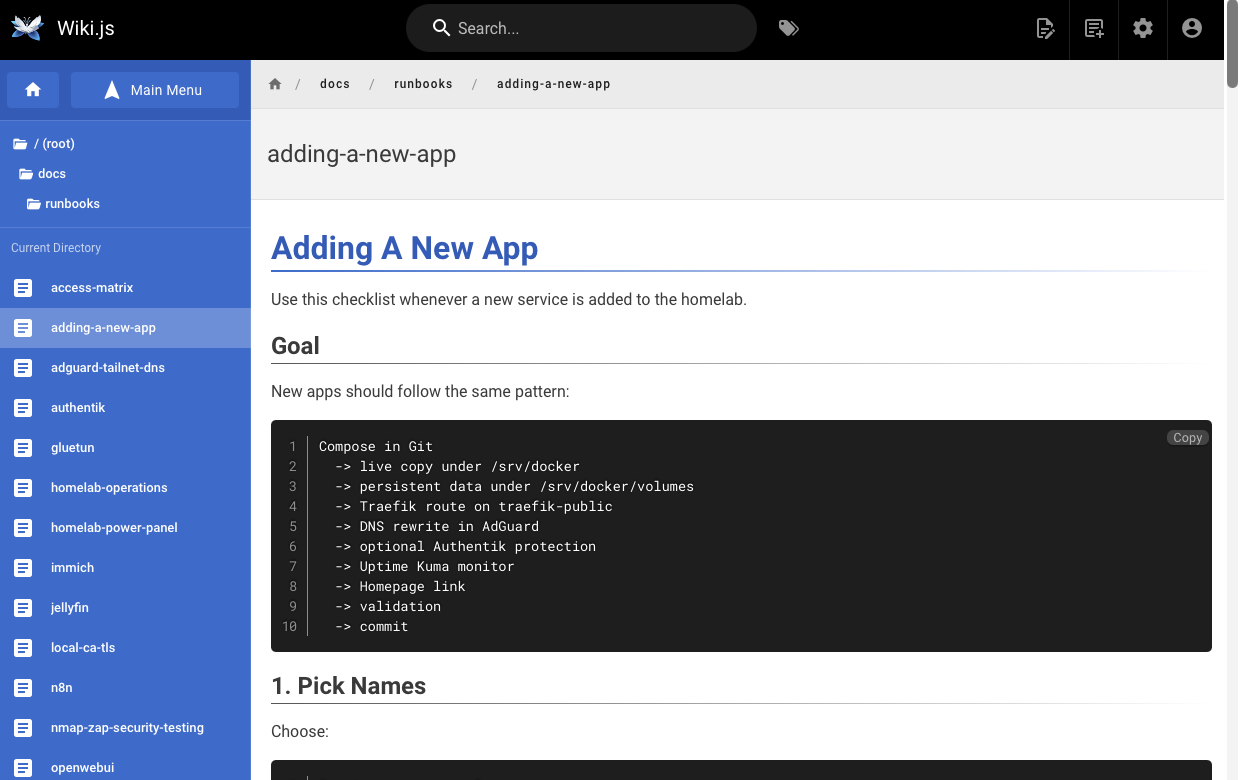
Wiki.js is the operator-facing documentation layer. Runbooks are versioned in
Git and pulled into the wiki for easier browsing.
Screenshot:
Proves:
- runbook discipline
- Git-backed documentation
- operational maintainability
6. IGA Simulation
Private route:
https://midpoint.home.arpa:8443/midpoint
Notes:
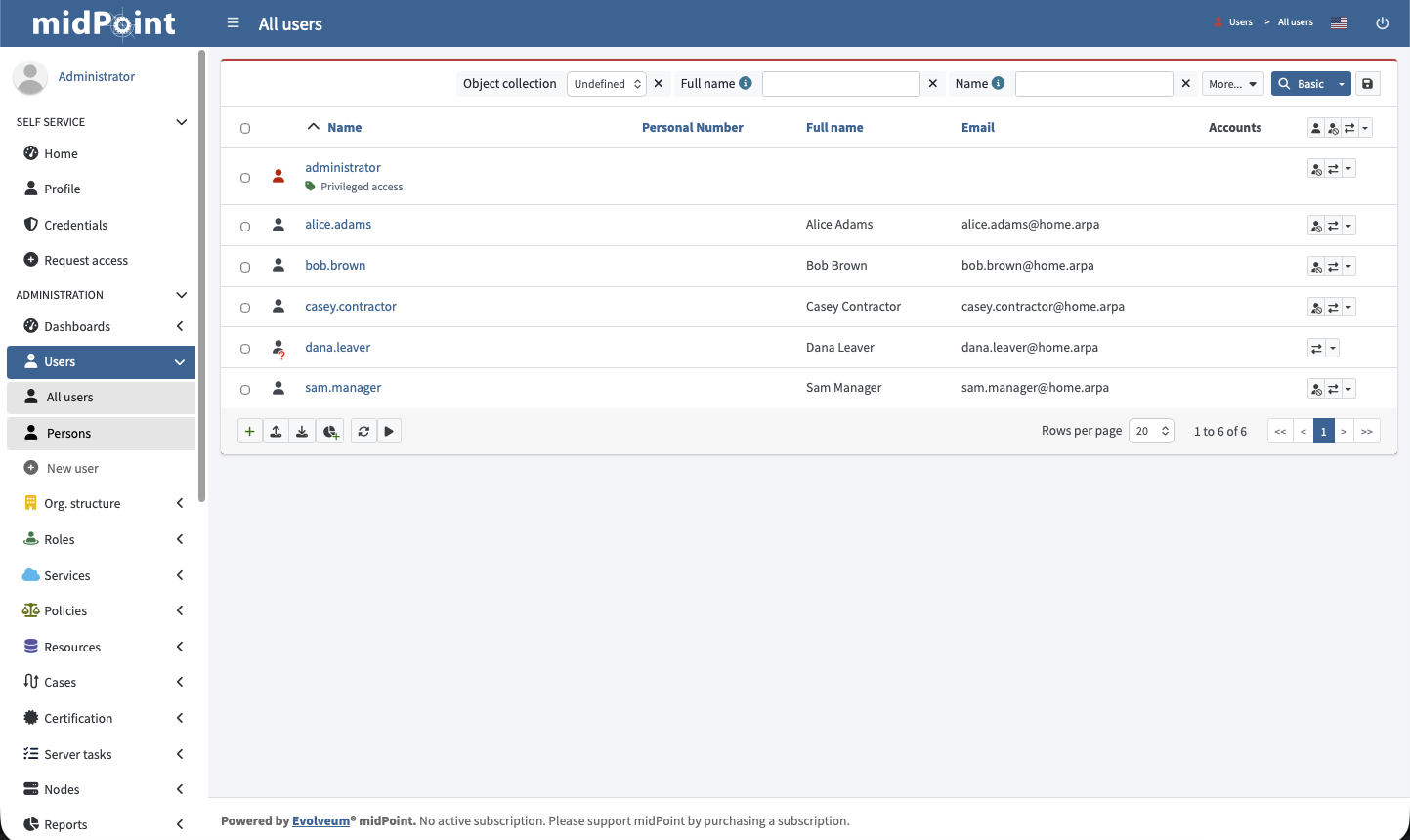
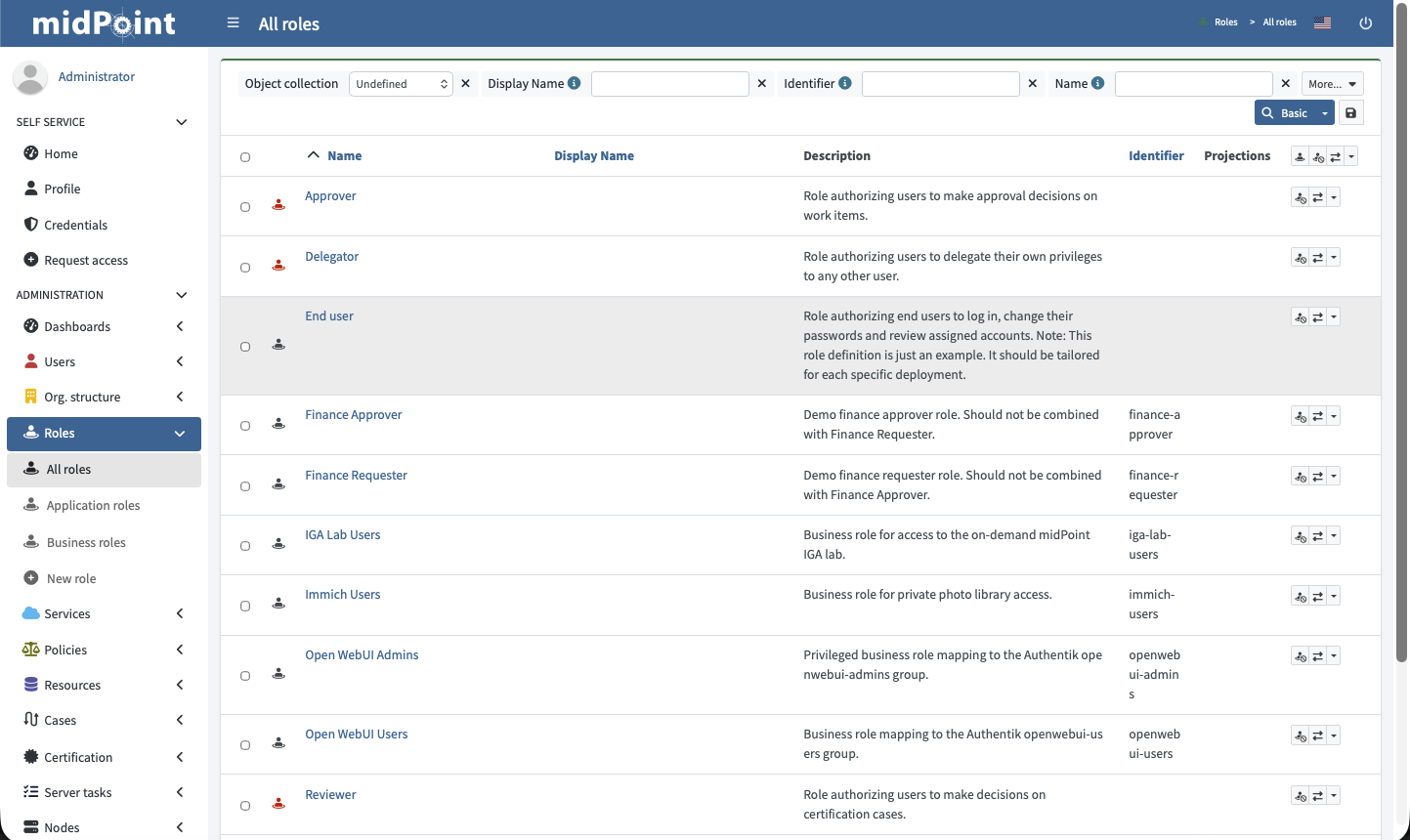
midPoint runs as an on-demand IGA lab. It models HR-driven users, business
roles, joiner/mover/leaver states, separation-of-duties checks, and access
review evidence.
Screenshots:
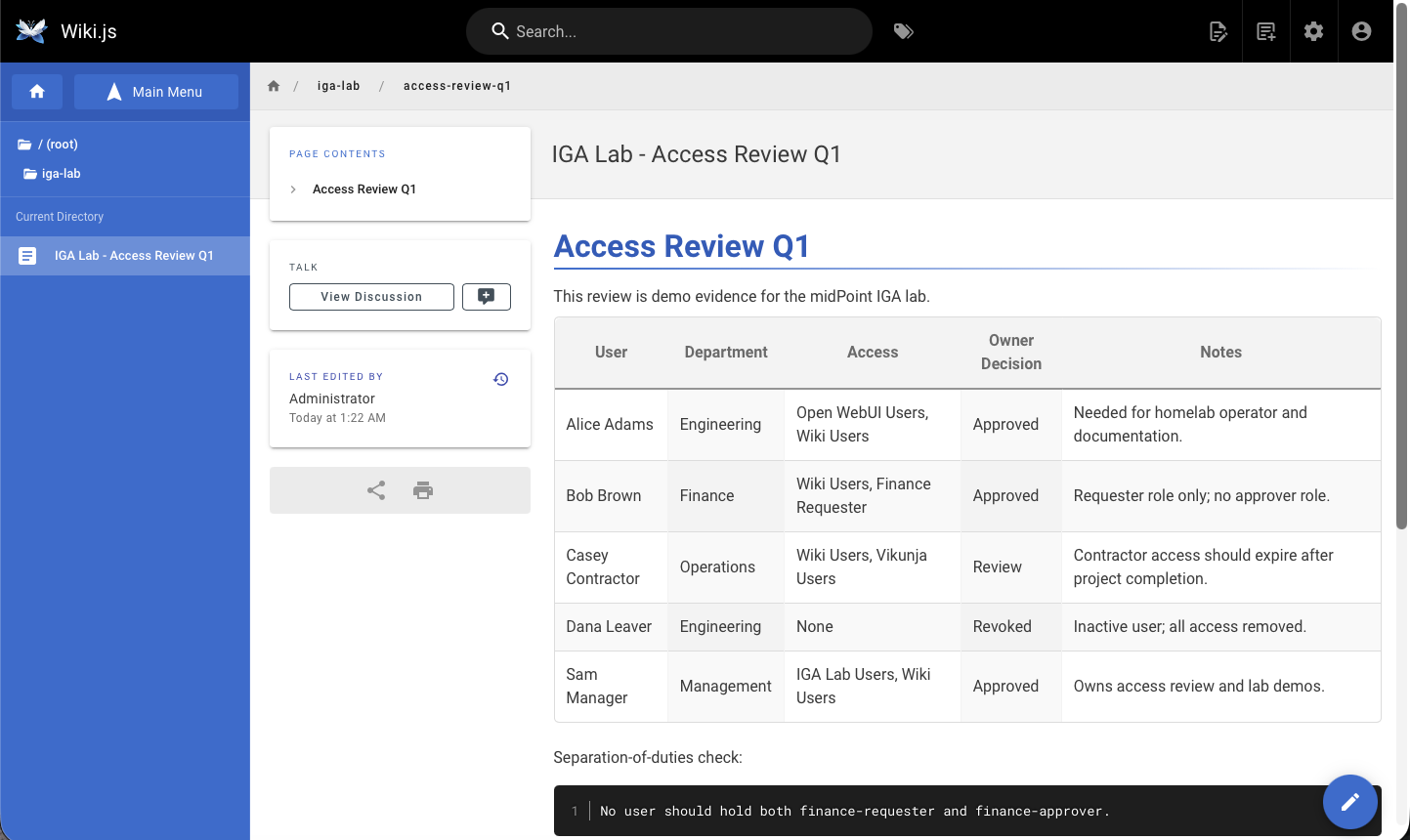
Proves:
- IGA concepts
- lifecycle state modeling
- role catalog
- access review evidence
7. IGA To Authentik Provisioning
Private route:
https://auth.home.arpa:8443
Relevant views:
Directory -> Users
Directory -> Groups
Notes:
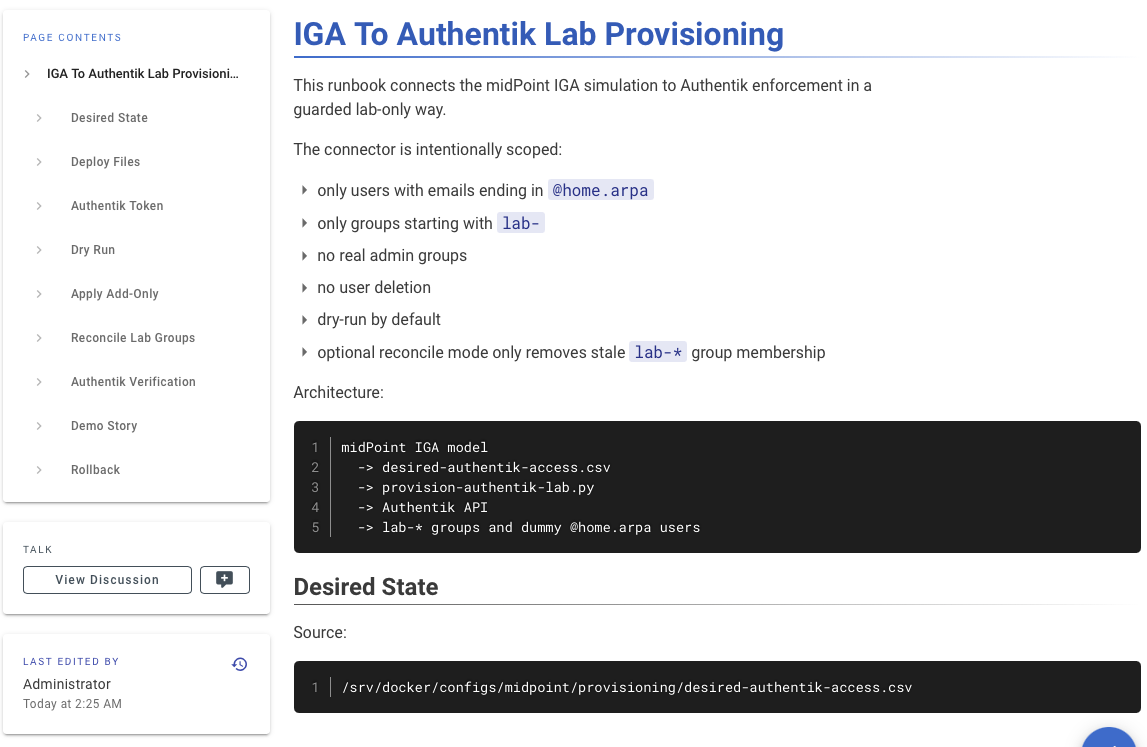
The guarded connector turns desired IGA state into Authentik lab users and
lab-* groups. It has dry-run mode, audit logs, domain restrictions, group-prefix
restrictions, and no user deletion.
Screenshots:
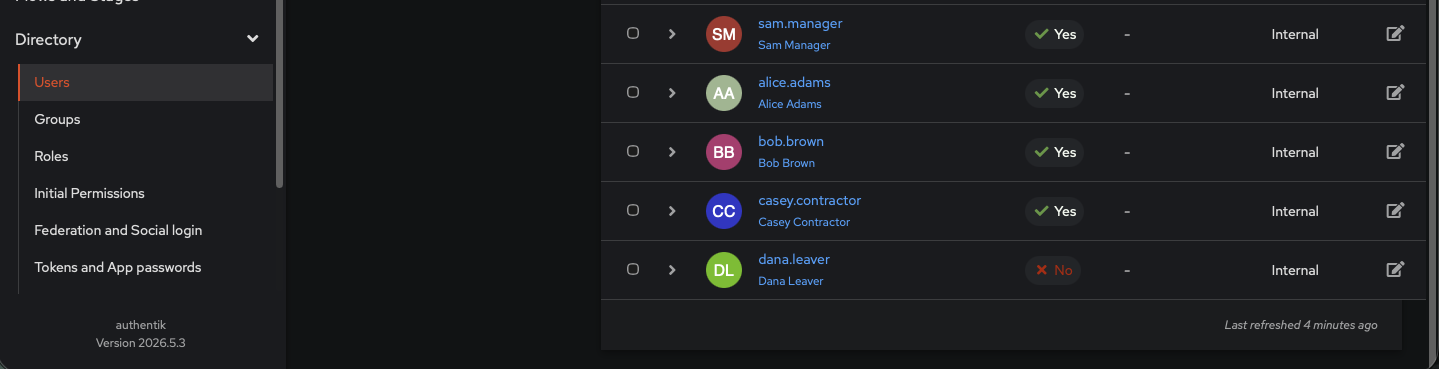
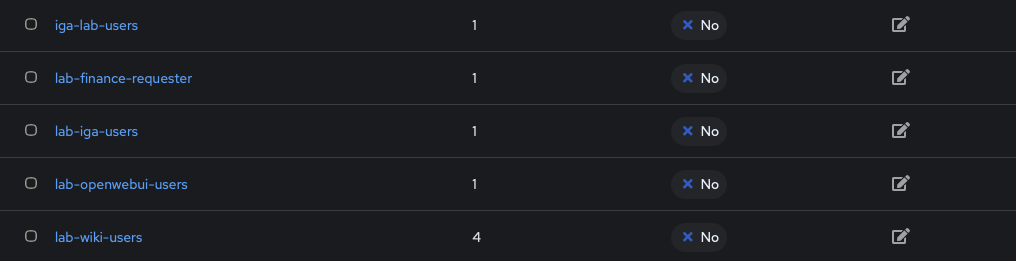
Proves:
- IGA-to-enforcement bridge
- provisioning guardrails
- lab-only blast-radius control
8. IGA Report
Private route:
https://wiki.home.arpa:8443/runbooks/iga-lab-report
Notes:
The report generator creates executive-friendly evidence from desired state and
the latest provisioning audit. It summarizes users, groups, guardrails, SoD
results, and provisioning actions.
Screenshots:
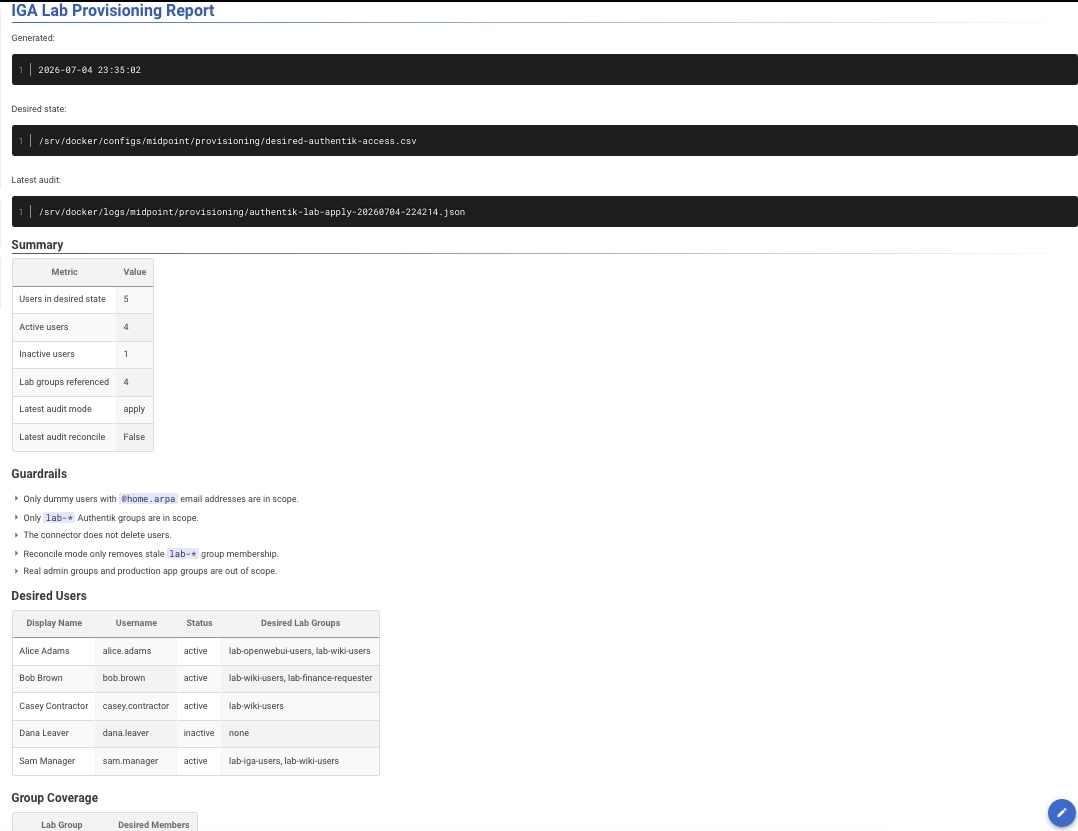
Proves:
- auditability
- evidence generation
- readable governance reporting
Evidence Map
| Screenshot | What It Shows |
|---|---|
| Homepage Dashboard | Private service launchpad with organized app groups. |
| Authentik Apps | Centralized SSO and app access policy. |
| Open WebUI Operator | Local AI operator with runbook knowledge. |
| Open WebUI Tool Call | Live read-only infrastructure tool call. |
| Uptime Kuma Status | Monitoring and availability coverage. |
| Wiki.js Runbooks | Git-backed operational documentation. |
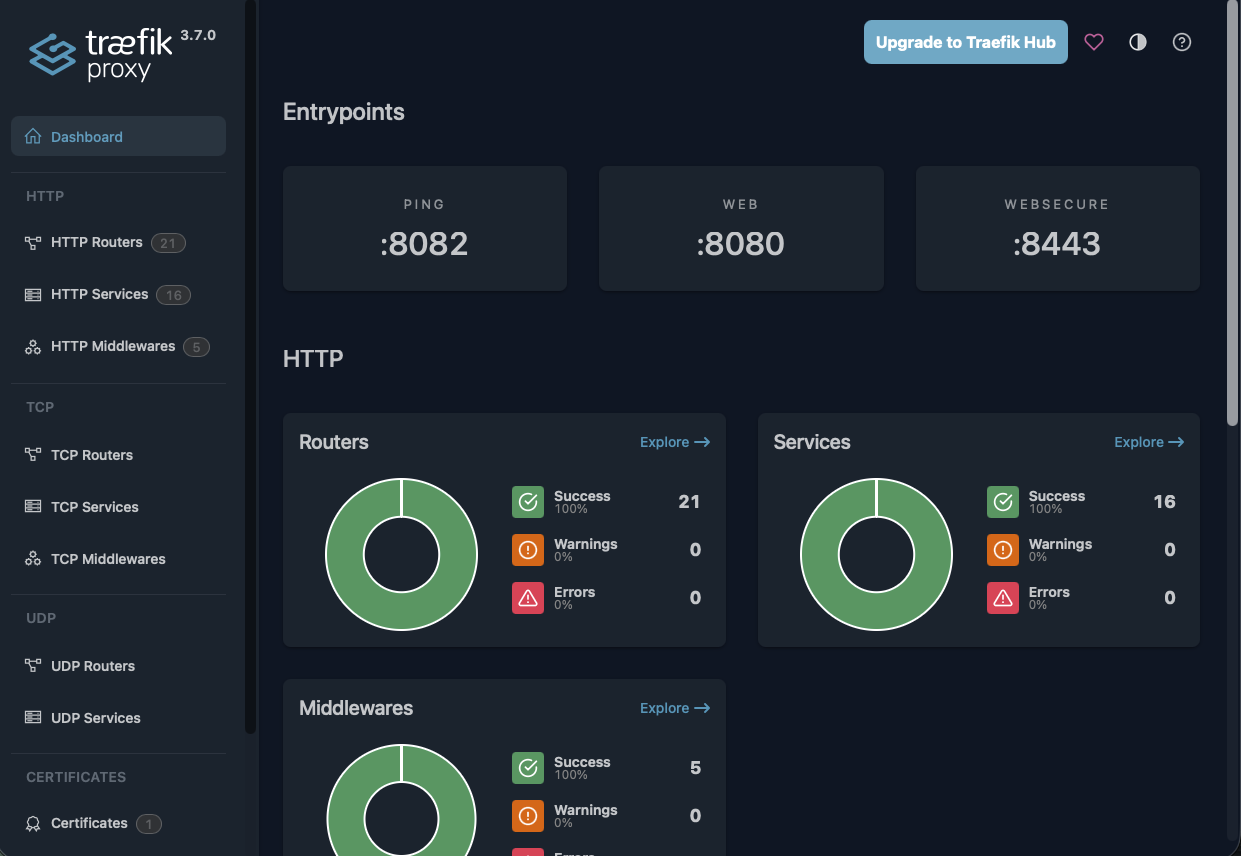
| Traefik Dashboard | Reverse proxy routing and middleware. |
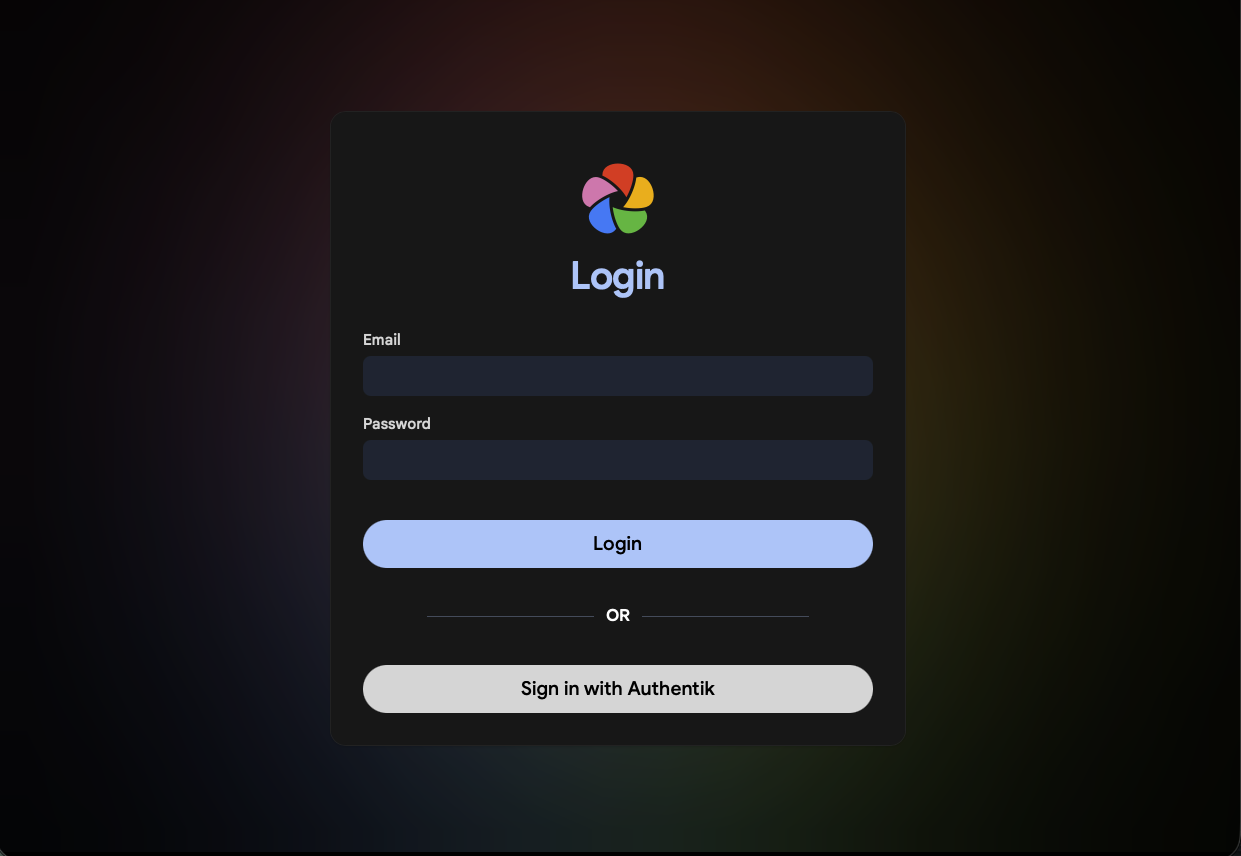
| Immich OIDC | App-native OIDC for mobile/API-safe SSO. |
| midPoint Users | IGA demo users and lifecycle states. |
| midPoint Role Catalog | Business role catalog. |
| midPoint Access Review | Access review and SoD evidence. |
| Authentik Lab Provisioning Users | Dummy users provisioned into Authentik. |
| Authentik Lab Provisioning Groups | Lab-only Authentik groups. |
| Wiki.js IGA Provisioning Runbook | Finished IGA provisioning runbook. |
| Wiki.js IGA Report | Executive-friendly IGA report. |
Key Design Choices
- Zero-public-ingress homelab with private DNS and tailnet access.
- Layered auth model: Authentik forward-auth, app-native OIDC, and local break-glass auth where needed.
- Local AI operations assistant with RAG and live read-only OpenAPI tools.
- On-demand IGA lab that demonstrates governance concepts without keeping a heavy Java stack always running.
- Guarded provisioning bridge with dry-run, audit logs, dummy-user restrictions,
and
lab-*blast-radius controls. - Git-backed runbooks and screenshots that turn the build into presentable evidence, not just a pile of containers.
Design Tradeoffs
| Topic | Design Rationale |
|---|---|
| Network access | It removes public ingress risk while keeping remote access simple. |
| Authentication model | Forward-auth is good for browser apps; OIDC is better for mobile/API-heavy apps. |
| Resource management | It is realistic for IGA demos but too heavy to keep running all the time on 16GB RAM. |
| Provisioning scope | It only accepts @home.arpa emails and lab-* groups, refuses privileged-looking names, and never deletes users. |
| Future expansion | Potential expansion includes approval workflow, backup execution on external SSD, and a production-grade connector pattern. |